
Looking for the best free AI video generators in 2026?
Here’s the problem with most lists out there, they mix tools that have a permanent free plan with tools that only offer a 7-day trial. That makes it hard to know what you can actually use without paying.
For this guide, I tested over 30 AI video generators and narrowed the list down to 10 that offer real free access. Some have forever-free plans. Others give you enough monthly credits to produce usable content at no cost.
Every tool in this list was tested using the same prompt so I could compare output quality, speed, and free tier limits side by side.
If you want the quick answer:
- Google Veo 3 is the best overall for cinematic text-to-video quality on a free tier.
- Kling 3.0 is the strongest option for realistic human motion and generous free credits.
- Canva AI Video is the easiest to use if you want fast social media clips without a learning curve.
Below, you’ll find honest breakdowns of what each tool gives you for free, where each one works best, and which ones export without a watermark.
Let’s get into it.
Quick Comparison: 10 Best Free AI Video Generators at a Glance
Before we get into the individual reviews, here’s a side-by-side look at what each tool actually gives you on the free tier.
| Tool | Free Tier Type | Max Video Length | Watermark |
|---|---|---|---|
| Google Veo 3.1 | Free forever | 8 sec | Yes |
| Kling 3.0 | Free forever | 5 sec | Yes |
| Hailuo AI | Free forever | 6 sec | Yes |
| Pika | Free forever | 5 sec | Yes |
| Canva AI Video | Free forever (limited) | 8 sec | No |
| VEED | Free forever | 10 min (editor) | Yes |
| HeyGen | Free forever | 3 min | Yes |
| Synthesia | Free forever | Varies | Yes |
| WAN 2.6 (Open Source) | Unlimited (local) | No hard cap | No |
| Sora 2 | No free tier (as of Jan 2026) | 10-20 sec | Yes |
How We Tested These Tools
Most “best of” lists rank AI video generators based on feature lists and pricing pages. We took a different approach.
We signed up for the free tier of every tool on this list and ran the same test prompt through each one:
A golden retriever running through a field of sunflowers at sunset, slow motion, cinematic lighting
Here’s exactly what we evaluated for each tool:
- Output quality. How realistic does the video look? Are there visual glitches, warping, or unnatural motion? Does the lighting feel consistent across frames?
- Prompt accuracy. Did the tool follow the instructions? Some generators nail the mood but miss key details. Others include every element but produce flat, lifeless output.
- Generation speed. How long did it take from hitting “generate” to getting a finished clip? Free tiers often have slower queue times, so we tested during both peak and off-peak hours.
- Free tier limits. How many usable videos can you realistically produce per day or per month without paying? We tracked credit usage, failed generations (which still consume credits on some platforms), and queue wait times.
- Ease of use. Can a first-time user produce a finished video within five minutes? We evaluated sign-up friction, interface clarity, and how much guesswork is involved.
- Export restrictions. Does the free tier add a watermark? What resolution can you export? Can you use the output commercially?
We also tested each tool with a second prompt focused on human motion to see how well each one handles faces, body movement, and expressions. This matters because many generators that perform well with landscapes fall apart when a person is in the frame.
One thing to keep in mind, AI video tools update their models and pricing frequently. This testing reflects the state of each tool as of April 2026. If a free tier changes after publication, we’ll update this guide.
10 Best Free AI Video Generators in 2026
1. Google Veo 3 / Veo 3.1
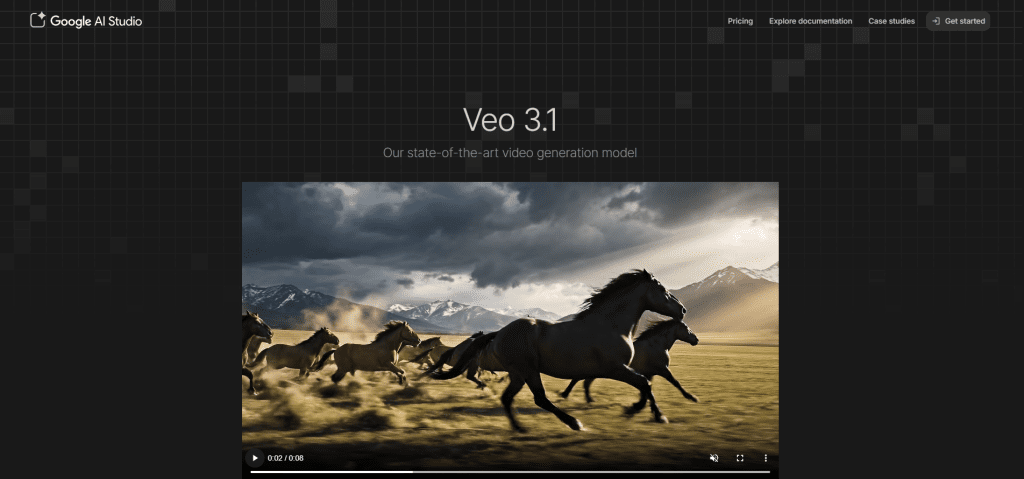
Veo 3.1 is Google DeepMind’s flagship video generation model. It turns text prompts into cinematic-quality video clips with synchronized audio, including dialogue, sound effects, and ambient noise generated alongside the footage. It supports text-to-video, image-to-video, and advanced features like object insertion, scene extension, and first-and-last-frame control through Google Flow.
According to DeepMind’s benchmarks on MovieGenBench, Veo 3.1 was rated highest for overall preference, prompt accuracy, and visual quality compared to other leading models. It also outperformed competitors on audio synchronization and physically realistic motion.
What the free tier includes
You can access Veo 3.1 for free through two separate Google products:
- Google Flow (DeepMind’s AI filmmaking tool): Free accounts get 50 daily AI credits, which reset every 24 hours. That’s enough for roughly 2-5 video clips per day depending on the quality mode you choose. Some countries receive up to 180 daily credits.
- Google Vids (Google’s consumer video editor): All accounts receive 10 free Veo 3.1 clips per month.
No credit card or subscription is required. You just need a personal Google account.
Strengths
- Best-in-class cinematic output quality among all free options
- Native audio generation (dialogue + sound effects synced to video)
- Two free access paths that can be used together to maximize output
- Supports text-to-video, image-to-video, ingredients-to-video, and scene extension
- SynthID watermarking for responsible AI identification
- Available globally with no waitlist
Limitations
- Free users are limited to 720p resolution. 1080p requires the Ultra plan.
- Each generation is limited to 8 seconds maximum.
- Free and Pro tier videos include a visible “Made with Veo” watermark. Only the Ultra plan ($249.99/month) removes it.
- No commercial use rights on the free tier
- Credit limits are subject to change at any time
Who it’s best for
Filmmakers, content creators, and marketers who need the highest-quality text-to-video output available for free. If your priority is cinematic realism and you don’t mind a watermark, Veo 3.1 is the strongest free option in 2026.
2. Kling 3.0
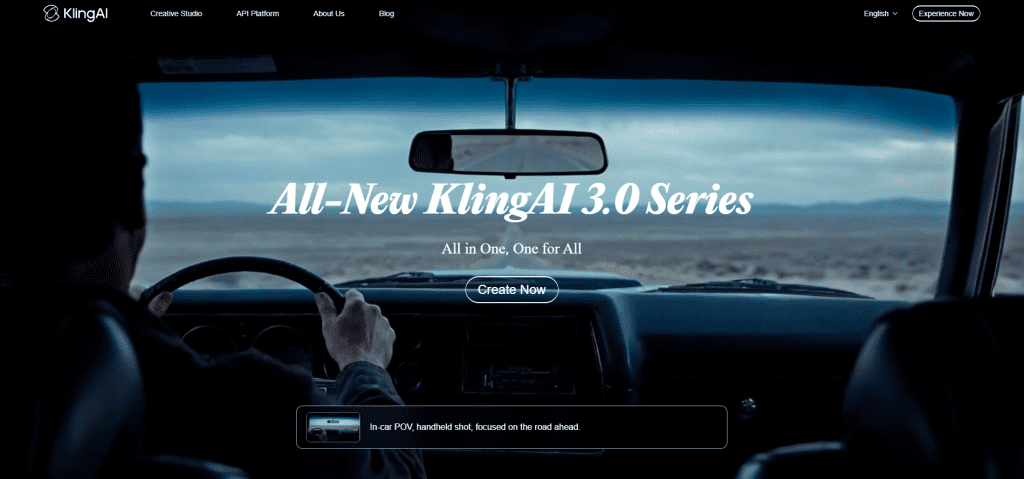
Kling 3.0 is Kuaishou Technology’s flagship AI video generator, built on a unified multimodal architecture that handles text-to-video, image-to-video, motion control, and native audio generation in a single system. Released in February 2026, it was a generational leap over version 2.6.
What makes Kling stand out from other generators is its directorial control. The Motion Brush lets you draw custom motion paths directly on a frame, tell a specific object or character exactly where and how to move instead of hoping the AI interprets your text prompt correctly. No other major model offers an equivalent feature.
Kling 3.0 also supports multi-shot sequences with up to six camera cuts in a single generation, native 4K output (on paid tiers), multilingual audio with lip-sync, and what’s widely considered the best human face and body rendering of any AI video generator in April 2026.
What the free tier includes
The free tier gives you 66 credits per day, replenished every 24 hours. No credit card is required.
That translates to roughly 1-3 short videos per day depending on model and quality settings. Standard mode uses fewer credits than Professional mode, and older models like Kling 2.6 cost less per generation than 3.0.
Key free tier restrictions:
- Maximum 720p resolution
- Watermarked output
- No commercial use permitted
- Single-task queue, no batch processing
- Extended queue times during peak hours, with benchmarks showing waits exceeding 30 minutes
- Credits do not roll over to the next day
- Failed generations still consume credits
Strengths
- Most generous daily free credits among major AI video generators
- Best-in-class human motion realism (walking, gesturing, facial expressions)
- Motion Brush provides frame-level creative control no competitor matches
- Strong text rendering inside generated videos, readable signs, brand logos, and product labels in roughly 8 out of 10 generations
- Native audio generation with multilingual lip-sync on the Omni model
- Supports text-to-video, image-to-video, motion transfer from reference video, and multi-shot sequences
Limitations
- Free tier output is low resolution (720p) with a visible watermark
- Queue wait times can be frustrating during peak hours
- Credit system is confusing, different models and settings consume credits at very different rates
- Failed or stuck generations still burn credits with no refund
- Professional mode and 4K output are locked behind paid plans
- Data is processed on servers in China, which may be a concern for some users
Who it’s best for
Social media creators, short-form video producers, and anyone whose content features people on screen. If your videos involve talking heads, product demonstrations, dance clips, or any scenario where realistic human motion matters, Kling 3.0 produces results that no other free tool can match right now.
3. Hailuo AI (MiniMax)
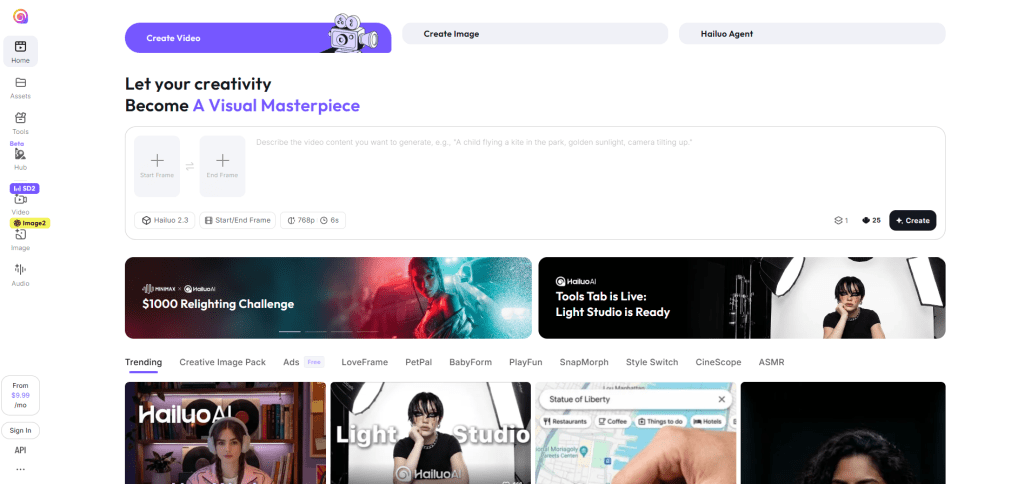
Hailuo AI is the video generation platform built by MiniMax, a Chinese AI company. It’s designed for fast, cinematic short-form video creation from text prompts, images, or a combination of both.
The platform runs multiple specialized models. The Director model is the standout, it lets you control camera movements using natural language commands like “dolly zoom,” “orbit 180°,” or “slow pan left.” This results in reduced movement randomness, meaning every frame sticks closer to your creative intent. Most AI video generators leave camera work up to chance. Hailuo gives you direct control over it.
The latest model, Hailuo 2.3, further improves dynamic expression, physical actions, character micro-expressions, and stylization, including anime, illustration, and ink wash painting styles. It also supports a Media Agent that handles multi-modal creation across text, image, video, and audio in a single workflow.
What the free tier includes
Hailuo AI uses a freemium model. The free plan gives you daily bonus credits, three tasks in queue, 720p exports with a watermark, and wait times that spike during peak hours.
The exact number of daily free credits is not officially published, but based on testing and user reports, you can expect roughly 2-4 short video generations per day. In the event of a video generation failure, the system automatically refunds the credits consumed. That’s a meaningful detail since some competitors (like Kling) charge you for failed generations. No credit card is required to start.
Strengths
- Fastest generation speed among tools on this list, clips often render in under 60 seconds
- Director Mode with natural language camera commands (pan, tilt, zoom, orbit, dolly, handheld shake)
- Strong prompt adherence, the model follows detailed instructions more consistently than many competitors
- Specialized models for different use cases: Standard (general), Live (2D art animation), Subject (character consistency), Director (camera control)
- Built-in text-to-speech with 300+ voices and voice cloning from a 10-second sample
- Automatic credit refund on failed generations
- Mobile app available for iOS and Android
Limitations
- Free tier exports are limited to 720p with a visible watermark
- Free users can submit up to three tasks at a time, and only generate one video in parallel
- No commercial use rights on the free plan
- Video clips are short (typically 6 seconds)
- Queue times can increase during peak hours on the free tier
- Paid plan pricing has shifted multiple times since launch, which has frustrated some long-term users
Who it’s best for
Social media creators and marketers who need fast turnaround on short, polished clips. If you produce content for TikTok, Reels, or Shorts and want camera movement that feels intentional rather than random, Hailuo’s Director Mode gives you a level of control that most free tools don’t offer. It’s also a strong choice for anyone who works with 2D illustration or anime-style content, thanks to the specialized Live model.
4. Sora 2 (OpenAI)
Sora 2 was OpenAI’s second-generation text-to-video model, released to select users in the US and Canada at the end of September 2025. It generated short video clips with synchronized dialogue, sound effects, and ambient audio, a step above most competitors at the time of launch.
The model was known for strong physics simulation. Objects in Sora 2 videos behaved more realistically than in most AI-generated footage, if a basketball missed a shot, it would bounce off the backboard instead of teleporting into the hoop. It could produce things that were exceptionally difficult for prior video models, including Olympic gymnastics routines and realistic physical interactions.
However, Sora 2’s story has taken a sharp turn. OpenAI is shutting it down.
Current status (April 2026)
The Sora web and app experiences were discontinued on April 26, 2026. The Sora API will be discontinued on September 24, 2026.
This means:
- The standalone Sora app and sora.com are no longer available
- ChatGPT can no longer generate video based on text prompts
- After the shutdown and any final export window, OpenAI will permanently delete all data associated with Sora usage
- The API remains functional until September 2026, but only for existing developers
Why it was shut down
OpenAI didn’t give a single official reason, but reporting from multiple outlets paints a clear picture. The service cost an estimated $1 million per day to operate due to the computational demands of video generation. User numbers peaked at around a million before declining to fewer than 500,000. Disney ended its partnership with OpenAI, which had included plans for a $1 billion stake in the company.
What the free tier looked like (before shutdown)
Free ChatGPT users lost Sora video generation access on January 10, 2026. After that date, you needed at least a ChatGPT Plus subscription ($20/month) to generate video. Plus subscribers received 1,000 monthly credits with 720p resolution and a visible watermark on all output.
Strengths (while it was available)
- Best-in-class physics simulation among AI video models
- Synchronized dialogue, sound effects, and ambient audio
- Strong cinematic framing and narrative coherence
- Multi-shot consistency for storytelling sequences
Limitations
- No free tier since January 2026
- App shut down April 26, 2026; API shuts down September 24, 2026
- All generated content will be permanently deleted after shutdown
- Was only available in the US and Canada
- Every generated video included a visible watermark
Who it’s best for
If you were previously using Sora 2, the closest alternatives for cinematic text-to-video are Google Veo 3.1 (best free option) and Kling 3.0 (best for human motion). Both are actively maintained and offer free tiers.
5. Canva AI Video
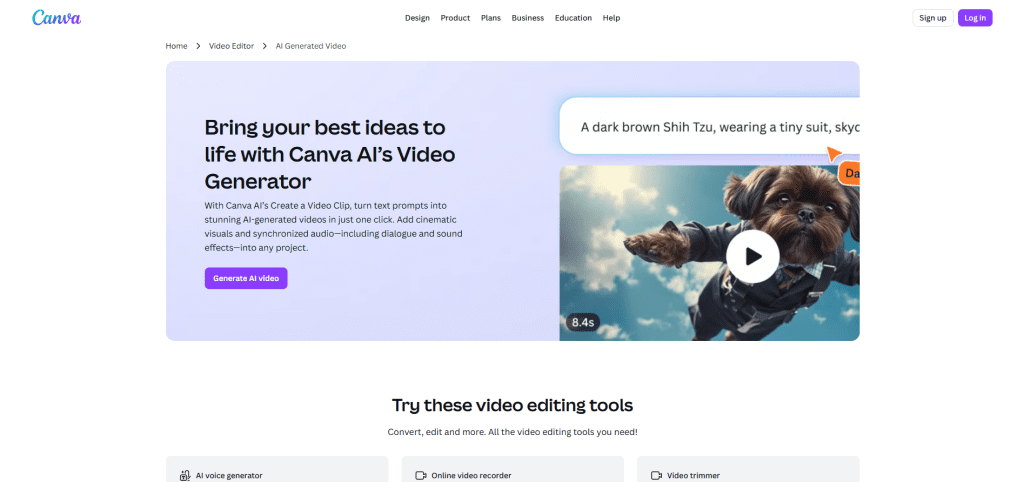
Canva’s AI video feature, called Create a Video Clip, is powered by Google’s Veo 3 model. It lets you type a text prompt and generate an 8-second cinematic video clip with synchronized audio, including dialogue, sound effects, and music, directly inside Canva’s editor.
Canva is one of the first platforms to integrate Google’s Veo 3 video generation model, just weeks after its debut. The generated clip opens directly in Canva’s video editor, where you can add text, music, branding, transitions, and drop it into social posts, presentations, or ads without leaving the platform.
This isn’t a standalone AI video generator. It’s AI video generation built into a design tool that 190+ million people already use.
What the free tier includes
This is where it gets complicated.
Video generation is limited to 5 lifetime attempts for free Canva users. That means you get just 5 AI video clip generations total, not per month, not per day.
The full Create a Video Clip feature is available to Canva Pro, Teams, Enterprise, and Nonprofit users. The initial limit is 5 video generations per month on paid plans.
You can use designs generated with Canva AI for any purpose, including personal or commercial projects, as long as you follow their AI Product Terms.
Strengths
- Powered by Google Veo 3, one of the highest-quality video generation models available
- Synchronized audio (dialogue, sound effects, music) generated alongside the video
- Watermark-free exports on the free plan (when using free elements)
- Commercial use permitted on all plans
- Zero learning curve if you already use Canva
- Generated clips drop directly into the Canva editor for immediate branding, captioning, and publishing
- Available on desktop and mobile
Limitations
- Even on paid plans, you can only generate up to five video clips per month
- Free plan gives only 5 lifetime generations, effectively a trial, not a production tool
- Only accepts text prompts written in English
- Maximum clip length is 8 seconds
- No image-to-video option within the Create a Video Clip feature
- No advanced controls for camera movement, motion paths, or frame-level editing
- You cannot choose or switch between AI models, Canva uses Veo 3 exclusively
Who it’s best for
Marketers, small business owners, and social media managers who already work inside Canva and need a fast way to add a short AI-generated clip to a design, ad, or presentation. The generation limit is too low for anyone producing video at volume. But if you need one polished, watermark-free clip per week to drop into an Instagram Story, LinkedIn post, or pitch deck, Canva is the fastest path from idea to finished output.
It’s not the best standalone AI video generator. It’s the best AI video generator that happens to live inside a design tool you probably already have open.
6. VEED
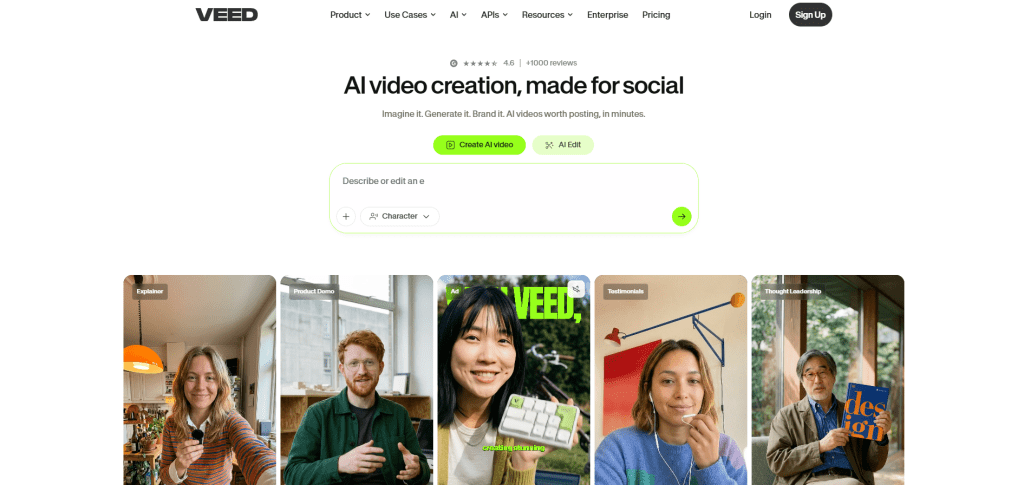
VEED is a browser-based video editing platform with AI features layered throughout. Unlike the pure text-to-video generators on this list, VEED is primarily an editor, you can trim, cut, caption, brand, and export video without installing any software.
What earns it a spot on this list is its Gen-AI Studio, which lets you generate short social videos from text scripts by automatically assembling stock footage, captions, voiceover, and music. VEED also integrates Google Veo 3.1 and Sora 2 through a credit-based AI Playground, giving paid users access to frontier text-to-video models inside the same editor.
Beyond generation, VEED’s standout features include automatic subtitle generation in 125+ languages, AI eye contact correction, voice cloning, and the ability to create talking-head videos using AI avatars. It also offers Magic Cut (which removes filler words and dead air automatically), background noise removal, screen recording, and auto-resize for platform-specific formats.
What the free tier includes
VEED offers a permanent free tier with limitations: 720p exports, 10-minute max, VEED watermark on all exports, 2GB storage, 30 min/month auto-subtitles.
The free plan also includes basic editing tools, limited AI avatar access, and the ability to test the platform’s core workflow. No credit card is required, and the plan does not expire.
The Lite Plan costs $19 per month per editor and removes watermarks with Full HD 1080p exports, 12 hours per month of captions, and 5 videos per day in Gen-AI Studio. The Pro Plan costs $49 per month and includes unlimited Gen-AI Studio videos, 20 minutes of translation to 50+ languages, 15+ AI tools, and a full Brand Kit.
Strengths
- Complete video editing suite in the browser, no download or installation needed
- Best-in-class auto-subtitle generator (125+ languages, speaker detection, word-level timing)
- Gen-AI Studio creates social-ready videos from text scripts with stock footage, music, and captions assembled automatically
- 50+ diverse AI avatars for talking-head videos with 35+ voice options in multiple languages
- Magic Cut removes filler words and silences in seconds
- Screen recorder with webcam overlay, built-in teleprompter, and eye contact correction
- 2 million+ royalty-free stock assets included on paid plans
- Auto-resize for YouTube, TikTok, Instagram, and LinkedIn in one click
- Real-time collaboration with team commenting
Limitations
- All free tier exports include a visible VEED watermark. Removal requires upgrading to at least the Lite plan.
- Free plan caps exports at 720p and 10-minute video length
- AI avatar and voice cloning features are gated behind the Pro plan ($49/month)
- Text-to-video generation via Veo 3.1 and other frontier models uses a separate credit system on top of the subscription
- Browser-based architecture can lag with longer videos or complex timelines
- No offline editing capability
Who it’s best for
Social media managers, marketers, and content teams who need to edit, caption, brand, and publish existing video footage, and occasionally generate new clips from text. VEED is not the best choice if you only need pure AI video generation from prompts. But if your workflow involves a mix of recording, editing, subtitling, and AI-assisted creation, VEED puts all of those steps into a single browser tab.
It’s the best free AI video tool for people who already have footage and need to make it better, faster.
7. HeyGen
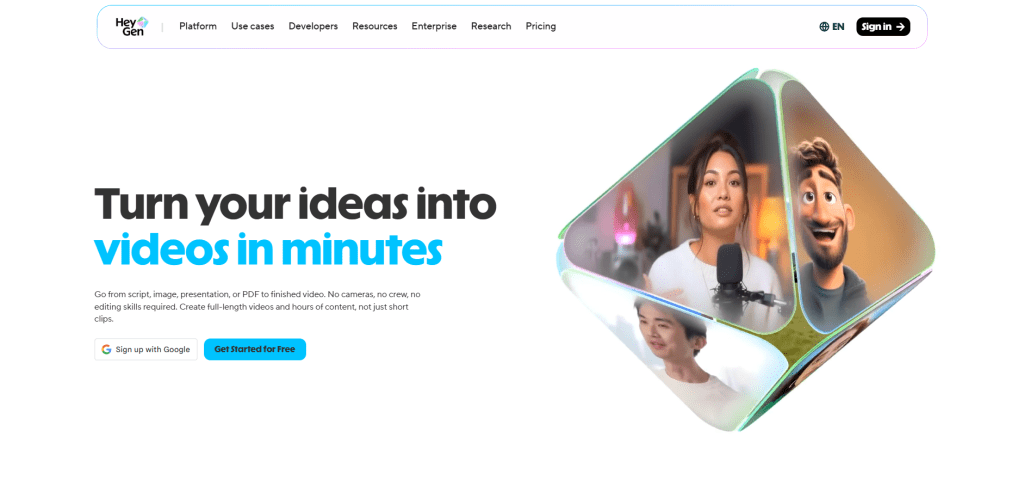
HeyGen is an AI avatar video platform. You write a script, pick an avatar, and HeyGen renders a realistic talking-head video of that avatar delivering your message, with lip-synced voiceover in 175+ languages.
The platform’s strongest features are its Avatar IV models, which produce avatars with natural micro-expressions, body movement, and intonation that look closer to real humans than any other tool in this category. HeyGen also offers video translation with lip-sync, upload a video in English, and it returns versions in Spanish, German, Japanese, and dozens of other languages with the speaker’s mouth movements matched to the new audio.
HeyGen was recognized as G2’s #1 Fastest Growing Product of 2025, and the platform now serves over 85,000 businesses.
What the free tier includes
The free plan is permanent (not a time-limited trial) but capped at 3 videos per month. Each video can be up to 3 minutes long.
Here’s what you get on the free tier:
- Up to 3 minutes per video, 720p export quality, standard processing time
- 1 custom video avatar and 500+ stock avatars in 30+ languages
- Videos include watermarks when exported
- Access to Avatar IV video generation (5 minutes/month)
- No credit card required
The free plan works as a product trial, not a production tool. It’s enough to test the avatar quality and evaluate whether HeyGen fits your workflow. It’s not enough to produce content at any real volume.
Strengths
- Best-in-class avatar realism, Avatar IV models produce natural lip-sync, micro-expressions, and body movement that outperform every competitor tested
- Video translation with lip-sync in 175+ languages, the strongest localization feature on this list
- 500+ stock avatars on the free plan, 700+ on paid plans
- Voice cloning from a short recording sample
- Custom avatar creation (record 2 minutes of yourself to build a digital twin)
- Text-to-speech with 35+ voice options in multiple languages
- Script-to-video workflow takes under 5 minutes from start to export
- iOS app available for mobile creation
Limitations
- Free tier is extremely limited, 3 watermarked videos per month at 720p
- HeyGen’s pricing uses a dual system: base subscription plus a separate Premium Credit pool. Avatar IV videos consume 20 credits per minute, so the Creator plan’s 200 monthly credits only cover about 10 minutes of premium avatar video.
- No commercial use on the free plan
- Some security researchers have noted that HeyGen’s consent requirements for avatar creation are less strict than competitors like Synthesia, raising ethical concerns about deepfake potential
- Community sentiment from aggregated reviews leans 46% negative on pricing, primarily around credit limits that feel unclear for new users and the steep jump from Creator ($29) to the next tier
- The steep jump from Creator ($29/month) to Pro ($99/month) leaves no mid-range option
- Processing queues can be slow on the free tier
Who it’s best for
Course creators, L&D teams, sales teams, and marketers who need presenter-style videos at scale without filming. If your content involves a person speaking to the camera, training modules, product walkthroughs, personalized outreach, or multilingual explainers, HeyGen produces the most realistic avatar output available.
The free plan is useful for testing one thing, whether the avatar quality meets your standards. If it does, Creator at $29/month is the entry point for actual production. If your primary need is multilingual video translation with matching lip movement, no other tool on this list comes close.
8. Synthesia
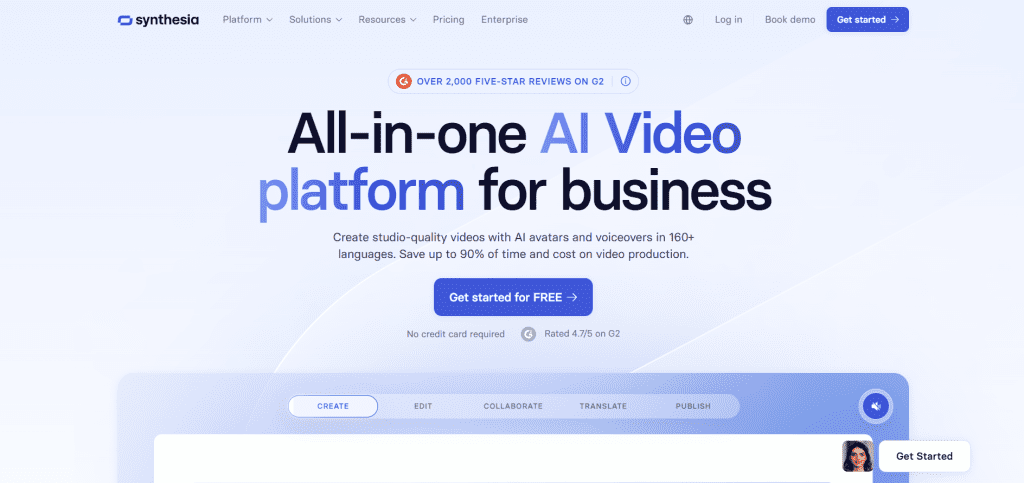
Synthesia is an AI video platform built for corporate and educational content. You write a script, choose an AI avatar, and Synthesia generates a polished talking-head video with lip-synced voiceover, no camera, lighting, or studio required.
The platform offers over 1,000 AI voices supporting 160+ languages and accents, a library of 240+ stock avatars across different ethnicities, age groups, and professions, and a slide-deck-style editor that feels familiar to anyone who has used PowerPoint. Synthesia also recently added an AI Playground with access to Google Veo 3.1 and Sora 2 for text-to-video clip generation, available across all plans including the free tier.
Synthesia serves over 50,000 teams, including a large share of Fortune 100 companies. It’s built for training videos, onboarding content, product explainers, and internal communications, not social media clips or cinematic footage.
What the free tier includes
The free plan gives you 3 minutes of video per month and access to 9 stock AI avatars. No credit card is required.
Here’s what the free tier includes:
- 3 minutes of generated video per month (36 minutes per year)
- 9 stock avatars with customizable actions and environments
- Full access to the AI Playground with Veo 3.1 and Sora 2
- PowerPoint import (converts slides into video drafts)
- AI script generation
- Watermarked exports only
- AI chat support only (no human support on the free tier)
It’s a good way to see if you like the interface and get a feel for the video quality, but it’s far too limited to be used for any real business purpose.
Strengths
- Most polished avatar-to-video workflow on this list, script to finished video in under 15 minutes
- 240+ stock avatars covering diverse demographics, age groups, and professional contexts
- 160+ languages and accents with natural-sounding AI voices
- Slide-deck-style editor with a very low learning curve
- 250+ pre-designed templates for training, onboarding, marketing, and internal comms
- Voice cloning, pair your cloned voice with your custom digital twin avatar
- One-click video translation that adapts entire videos into new languages (Enterprise tier)
- Millions of royalty-free images, soundtracks, and elements included
- PowerPoint-to-video conversion retains original slide design
- AI Playground gives free users access to frontier text-to-video models (Veo 3.1, Sora 2)
Limitations
- Free plan is extremely limited, 3 minutes/month, 9 avatars, watermarked, no downloads
- Custom “Studio Express” avatars (high-fidelity digital twins) cost an additional $1,000/year as a paid add-on
- Essential features like SCORM export and 1-click video translation are locked behind the custom-priced Enterprise tier
- AI avatars can occasionally show slight lip-syncing issues and may lack the warmth and subtle expressions of real presenters
- Stock avatars come with licensing restrictions for paid advertising, there are no ad platform integrations and no batch production for A/B testing
- API access remains Enterprise-only. No Starter or Creator subscription gets programmatic access.
- Paid plans still have annual video minute caps, heavy users can hit limits quickly
- The overall style is corporate-focused and may feel too rigid for casual or creative content
Who it’s best for
L&D teams, HR departments, corporate trainers, and educators who need to produce standardized presenter-style videos at scale. Synthesia is the most purpose-built platform on this list for training modules, onboarding sequences, compliance videos, and internal communications, especially when those videos need to be localized into multiple languages.
The free plan is a testing sandbox, useful for checking avatar quality, trying the editor, and validating whether the platform fits your production style. If you’re producing corporate video content regularly, the Starter plan at $18/month (annual billing) is where Synthesia becomes a practical tool. For multilingual teams that need one-click translation and API access, the Enterprise tier is the target.
Synthesia is not the right choice for social media clips, cinematic footage, or creative content. It’s designed for structured, professional video production, and within that niche, it’s the strongest option available.
9. WAN 2.6 (Open Source)
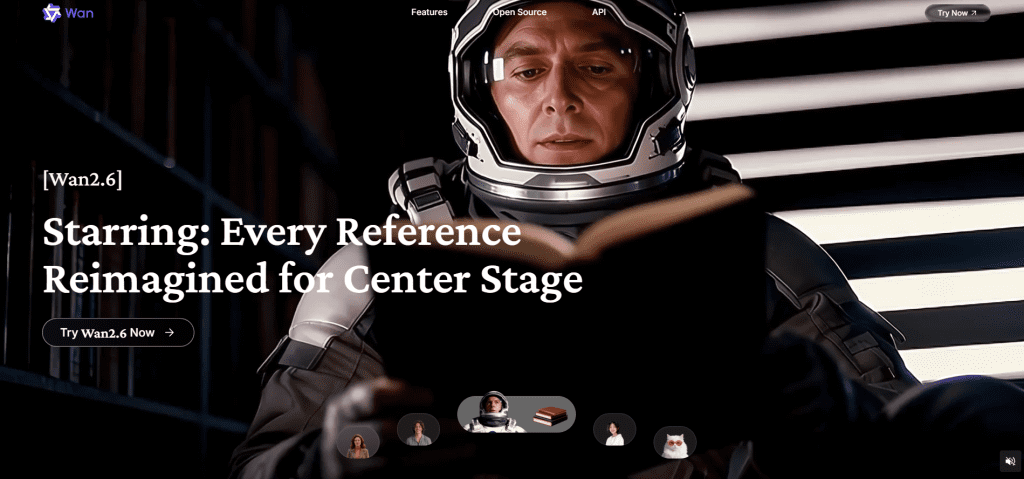
WAN 2.6 is Alibaba’s open-source video generation model, released in December 2025. It creates videos up to 15 seconds long from text prompts, images, or reference videos, and unlike every other tool on this list, the entire model (weights, training code, and inference scripts) is publicly available under the Apache 2.0 license.
That means you can download it, modify it, fine-tune it on your own data, and use it commercially, with zero restrictions.
Three features define WAN 2.6. First, the Starring System (Reference-to-Video) lets you upload a character reference and maintain that character’s appearance across multiple clips. Second, Native Audio generates synchronized sound effects, ambient audio, and dialogue-matched lip timing directly from video frames. Third, Smart Multi-Shot automatically breaks a long narrative prompt into individual shots with transitions, camera angles, and pacing.
The model uses a Mixture-of-Experts design with 14 billion parameters and was trained on 1.5 billion videos and 10 billion images. On the VBench benchmark, WAN achieved the highest composite score (86.22%) compared to Sora’s 84.28%, with top marks in motion quality, text rendering, and prompt accuracy.
What the free tier includes
There is no “free tier” in the traditional sense. WAN 2.6 is completely free. You download the model and run it yourself.
The cost is hardware. Here’s what you need for local generation:
- GPU: NVIDIA RTX 3060 or higher recommended. 8GB VRAM minimum, 12GB+ ideal
- RAM: 16GB minimum, 32GB recommended
- Storage: SSD with at least 50GB free space
- OS: Windows or Linux with CUDA and compatible GPU drivers installed
With 12GB VRAM, expect 576-720p output at 16-24 frames comfortably. The 14B model supports up to 1080p on higher-end GPUs (24GB+ VRAM like an RTX 4090). With GGUF quantized versions, the model can even run on GPUs with as little as 6GB VRAM at 480p resolution, though generation takes 10-15 minutes per clip.
You can also access WAN 2.6 through cloud platforms like Alibaba Cloud Model Studio, Fal.ai, and others on a pay-per-use basis if you don’t want to run it locally.
Strengths
- Completely free with no credit limits, no watermarks, no daily caps, and no monthly restrictions
- Apache 2.0 license allows full commercial use, modification, and redistribution
- Strongest open-source video model on benchmarks, outperforms several closed-source competitors
- Multi-shot narrative generation with consistent character identity across scenes
- Native audio generation synchronized to visual content
- Reference-to-Video lets you insert yourself (or any subject) into generated scenes
- Supports text-to-video, image-to-video, reference-to-video, and video editing
- Active community with ComfyUI workflows, optimization tools (TeaCache), and custom nodes
- No content filters, full creative freedom over output
- Can be fine-tuned on custom datasets for specialized use cases
- Compared to closed-source alternatives, Sora requires $200/month, Runway charges $0.25-0.50 per second, Kling starts at $0.30 per clip, WAN offers the most cost-effective path to high-quality AI video at any volume
Limitations
- Requires technical setup: Python environment, CUDA drivers, ComfyUI configuration, model downloads
- Not a “sign up and start creating” experience, there is no web interface included with the model
- As of March 2026, WAN 2.2 remains the latest version with publicly available weights for self-deployment. The full WAN 2.6 weights haven’t been released through the official open-source channels yet, cloud API access is available, but local deployment may still use 2.2 weights
- Generation speed depends entirely on your hardware, a single 720p clip can take minutes on consumer GPUs
- Each generation job consumes full VRAM, no batching across clips on a single GPU
- Quality at 480p (the realistic output for budget GPUs) is noticeably below cloud-based tools like Veo 3.1 or Kling 3.0
- No customer support, you rely on community forums, GitHub issues, and documentation
- Troubleshooting requires comfort with Python, pip dependencies, and GPU drivers
Who it’s best for
Developers, technical creators, and anyone producing high volumes of video who wants zero ongoing costs after the initial hardware investment. If you already own a capable GPU, WAN is the only path to truly unlimited, watermark-free, commercially usable AI video generation without any subscription.
It’s also the best option for creators who need full creative control with no content moderation filters, researchers who want to fine-tune models on custom data, and studios building production pipelines where per-clip costs would be prohibitive at scale.
If you don’t have a GPU or aren’t comfortable with a terminal, stick with the cloud-based tools on this list. WAN is powerful, but the setup cost (in time and technical skill) is real.
10. Pika
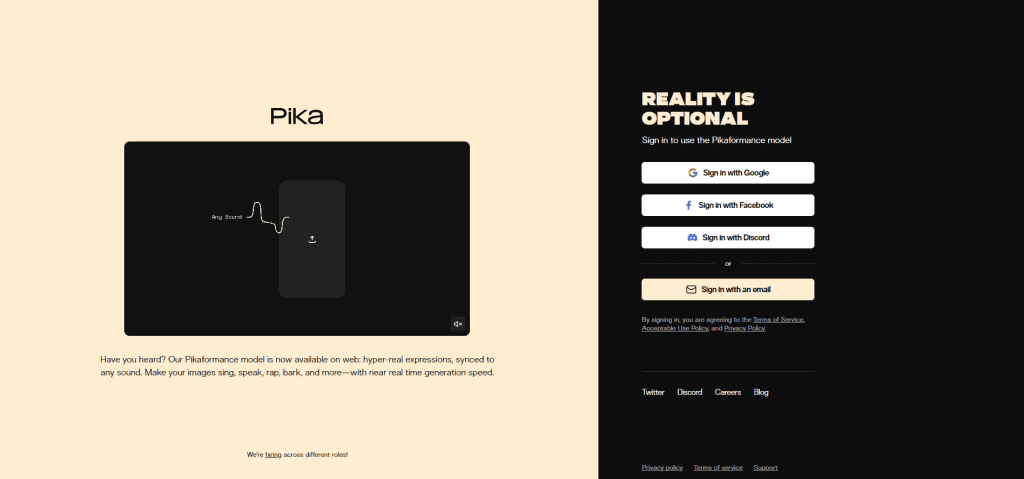
Pika is an AI video generator built for creative, stylized short-form content. It turns text prompts and still images into 3-10 second animated clips with a focus on bold visual effects, physics-aware motion, and fast iteration.
What sets Pika apart from the other tools on this list is its Pikaffects suite, a collection of physics-based effects that let you crush, melt, inflate, explode, twist, and reshape objects in your videos. The Pika 2.5 engine understands the weight of a punch, the squish of a balloon, and the flow of liquid in ways that other generators simply don’t attempt. It also includes Pikascenes (custom scene composition), Pikaswaps (face and object replacement), Pikaframes (aspect ratio control), and Pikadditions (adding new objects into existing scenes).
The platform runs through a web app at pika.art and an iOS mobile app, with full sync between devices.
What the free tier includes
The free plan includes access to Pika 2.5 at 480p only, along with Pikascenes, Pikadditions, Pikaswaps, Pikatwists, and Pikaffects. However, free users are limited to image-to-video only no text-to-video generation on the free tier.
You get 80 credits on the free plan. Credit consumption varies based on what you’re doing:
- A basic video using the Turbo model costs about 5 credits
- A Pikatwists generation with the Pro model can consume up to 80 credits
- A 10-second Pikascenes clip at 1080p can cost around 100 credits
That means your 80 free credits could produce anywhere from 1 to 16 clips depending on what features and quality settings you use. Credits reset monthly but do not roll over.
On the question of watermarks and commercial use, the information is inconsistent across sources. Pika’s official pricing page lists the free plan with limited features and 480p output, but some third-party sources claim watermark-free downloads while others report watermarks on the free tier. Check the current terms on pika.art/pricing before relying on either claim.
Strengths
- Physics-aware effects (Pikaffects) that no other tool on this list can replicate, crush, melt, inflate, explode, twist
- Fast generation speed, basic clips render in seconds on paid plans, 1-3 minutes on free
- Stylized, creative output that’s purpose-built for social media virality
- Pikascenes allows custom scene composition with precise control over backgrounds, objects, and characters
- Pikaswaps and Pikadditions let you modify existing videos by swapping faces or inserting new elements
- The Pika 2.5 update resolved most of the “flicker” issues that used to affect AI video, with strong temporal consistency and character identity preservation
- Integrated sound effect generation that matches on-screen action automatically
- Lip-sync feature for character dialogue content
- iOS app with desktop-to-mobile sync
- Low entry price on paid plans ($10/month for Standard)
Limitations
- Free plan is restricted to 480p resolution and image-to-video only, no text-to-video
- 80 monthly credits disappear fast, especially with high-end effects
- Every generation consumes credits regardless of output quality, you pay for failed attempts and duds the same as successful ones
- Credit consumption varies wildly based on model, resolution, feature, and duration, making it hard to predict how many videos your credits will actually produce
- Max video length is 5-10 seconds, not built for longer content
- Output favors stylized, exaggerated motion over photorealism, not ideal for corporate or professional footage
- Pika shows more variation between runs than competitors. Generating 3-5 versions and picking the best is the standard approach, which burns credits faster.
- No Android app as of April 2026
- 1080p and higher resolutions are locked behind paid plans
Who it’s best for
Social media creators, meme makers, and experimental content producers who want bold, attention-grabbing clips with creative physics effects. If your content lives on TikTok, Reels, or Shorts and you want videos that look different from what everyone else is posting, Pika’s Pikaffects and stylized output give you a visual identity that’s hard to replicate with other tools.
Pika is not the right choice for realistic cinematic footage, corporate video, or avatar-based presentations. It’s built for creative expression and fast iteration, and within that niche, the free plan gives you enough credits to test whether the style fits your brand.
For consistent production, the Standard plan at $10/month is one of the most affordable entry points on this list. But watch your credit usage, the variable consumption model means your actual cost per usable video can be higher than the sticker price suggests.
What “Free” Actually Means (Free Plans vs. Free Trials)
One of the biggest problems with most “best free AI video generators” lists is that they treat all free access the same. They don’t.
There’s a real difference between a tool that gives you a permanent free plan and a tool that lets you try paid features for 7 days before charging your card. Mixing the two wastes your time and sets wrong expectations.
Here’s how to think about it:
- Free forever plans give you a limited but permanent tier. You sign up, you get a set number of credits or generations per month, and that access doesn’t expire. You never need to enter a credit card. The limits are tight, but the access is real.
- Free trials give you temporary access to a paid plan. You get full features for a few days, then the trial ends. Most require a credit card upfront and auto-charge you if you forget to cancel.
- Free credits (one-time) give you a fixed amount of credits when you sign up, but once they run out, you need to pay. There’s no monthly refresh on the free tier.
Here’s how every tool on this list breaks down:
| Tool | Free Access Type | Requires Credit Card? | Monthly Refresh? | Access Expires? |
| Google Veo 3.1 | Free forever | No | Yes (daily) | No |
| Kling 3.0 | Free forever | No | Yes (daily) | No |
| Hailuo AI | Free forever | No | Yes (daily) | No |
| Pika | Free forever | No | Yes (monthly) | No |
| VEED | Free forever | No | N/A (usage-based) | No |
| HeyGen | Free forever | No | Yes (monthly) | No |
| Synthesia | Free forever | No | Yes (monthly) | No |
| Canva AI Video | Free forever (very limited) | No | No (lifetime cap) | No |
| WAN 2.6 | Unlimited (open source) | No | Unlimited | No |
| Sora 2 | No free access | N/A | N/A | Shut down April 2026 |
Every tool on this list except Sora 2 offers some form of permanent free access. That was a deliberate choice, we excluded tools that only offer time-limited trials.
How to Choose the Right Free AI Video Generator
With 10 tools on this list, picking the right one can feel overwhelming. But most of the decision comes down to four questions.
Answer these, and the right tool becomes obvious.
Question 1: What type of video do you need?
This is the single biggest filter. Different tools are built for completely different content types.
If you need short social media clips (TikTok, Reels, Shorts) start with Kling 3.0 or Hailuo AI. Both refresh credits daily, generate fast, and produce output that’s optimized for short-form platforms.
If you need talking-head or avatar videos (training, onboarding, explainers, sales outreach) start with Synthesia or HeyGen. No other tools on this list match their avatar quality, language support, or script-to-video workflow.
If you need cinematic text-to-video footage (film-quality scenes from a text prompt) start with Google Veo 3.1. It produces the highest-quality cinematic output available on a free tier right now.
If you need creative or stylized effects (physics simulations, surreal visuals, memes) start with Pika. Its Pikaffects suite does things no other generator on this list can replicate.
If you need an all-in-one editing platform with AI features (editing, subtitles, branding, plus some AI generation) start with Canva AI Video or VEED.
If you need unlimited output with no restrictions the only answer is WAN 2.6 running locally.
Question 2: How many videos do you need per week?
Volume determines which free tiers are actually usable for you versus which ones will run dry after day one.
If you need 1-2 videos per week, almost any free plan on this list will work. Even the most limited options (Canva, HeyGen, Synthesia) give you enough room at this pace.
If you need 1-2 videos per day, your realistic options narrow to Kling 3.0, Hailuo AI, and Google Veo 3.1 the only three tools that refresh free credits daily.
If you need 5+ videos per day, no free cloud plan will keep up. You either need a paid subscription or WAN 2.6 running locally where there are no generation caps.
Question 3: How important is output quality?
Be honest about what “good enough” means for your use case. A training video for an internal team doesn’t need the same production value as a brand campaign.
If 720p with a watermark is acceptable (internal content, prototyping, concept testing) any free tier on this list works.
If 720p without a watermark is required (client-facing content, published social posts) your free options are limited to Canva AI Video (5 lifetime generations) and WAN 2.6 (unlimited, local only).
If 1080p or higher is non-negotiable you need either a paid plan or WAN 2.6 on a GPU with 24GB+ VRAM. No cloud-based free tier on this list exports above 720p.
Question 4: How comfortable are you with technical setup?
If you want to sign up and start creating in under 5 minutes stick with cloud-based tools. Canva AI Video, Hailuo AI, and Pika have the lowest friction from signup to first video. Kling 3.0 and Veo 3.1 are also straightforward but require a few more steps to navigate their interfaces.
If you’re comfortable with a terminal, Python, and GPU drivers WAN 2.6 gives you more power, more freedom, and zero ongoing cost. The setup takes 30-60 minutes the first time, but after that, you have a production-ready pipeline with no limits.
If you’re somewhere in between consider accessing WAN 2.6 through cloud platforms like Fal.ai or Alibaba Cloud Model Studio. You get the model’s quality without managing local infrastructure, though you’ll pay per generation.
Quick decision summary:
| Your Priority | Best Free Tool |
| Best overall quality | Google Veo 3.1 |
| Most daily free generations | Kling 3.0 |
| Fastest generation speed | Hailuo AI |
| Best avatar/presenter videos | Synthesia |
| Best multilingual translation | HeyGen |
| Most creative effects | Pika |
| Best for non-technical users | Canva AI Video |
| Best editing platform with AI | VEED |
| Truly unlimited and free | WAN 2.6 (local) |
Conclusion
Finding the best free AI video generators in 2026 takes more work than reading a list of tool names. You need to know what “free” actually means for each platform, which limits apply, and which tool matches your specific use case.
After testing all 10 tools on this list, here’s where things stand.
For the highest-quality output on a free tier, Google Veo 3.1 leads. Cinematic visuals, synchronized audio, and daily credit refreshes make it the strongest all-around free option available right now.
For social media content with realistic human motion, Kling 3.0 is the top pick. No other free tool handles faces, body movement, and gestures as well, and 66 daily credits give you consistent production capacity.
For fast turnaround and creative camera control, Hailuo AI stands out. Director Mode with natural language camera commands gives you a level of control that most competitors lock behind paid plans.
For avatar-based presenter videos, Synthesia and HeyGen are the two clear leaders. Synthesia offers more free minutes per month. HeyGen produces more realistic avatars and stronger multilingual translation.
For bold, physics-driven creative effects, Pika is in a category of its own. No other tool on this list can crush, melt, inflate, or twist objects the way Pika’s Pikaffects suite does.
For truly unlimited, watermark-free generation at zero cost, WAN 2.6 is the only answer, if you have the hardware and technical comfort to run it locally.
For the easiest path from idea to finished video, Canva AI Video gives non-technical users watermark-free output inside a platform they probably already use. Just keep the tight generation limit in mind.
The AI video space is moving fast. Models improve, free tiers change, and new tools launch regularly. But the fundamentals of choosing the right tool haven’t changed, match the tool to your content type, your volume needs, and your quality requirements.
Pick one tool from this list. Test it with a real project this week. If it fits, keep going. If it doesn’t, you now know exactly where to look next.
FAQs
As of April 2026, Google Veo 3.1 offers the best combination of output quality and free tier generosity. It produces cinematic-quality video with synchronized audio, gives you roughly 50 daily credits through Google Flow, and requires nothing more than a Google account. For social media content specifically, Kling 3.0 is the stronger pick thanks to its superior human motion rendering and daily credit refresh. And if you need truly unlimited free generation with no restrictions, WAN 2.6 running locally is the only option that removes every cap.
It depends entirely on the tool. Most free plans restrict commercial use. On this list, Kling 3.0, Hailuo AI, Google Veo 3.1, HeyGen, and Synthesia all prohibit commercial use on the free tier. Canva AI Video and WAN 2.6 are the most permissive, Canva allows commercial use on all plans (including free) as long as you follow their AI Product Terms, and WAN 2.6’s Apache 2.0 license places no restrictions on how you use the output. Pika’s commercial rights depend on which plan you’re on, always check the current terms on their pricing page before using output for business purposes.
Only two tools on this list export without a watermark on the free tier. WAN 2.6 is fully watermark-free because you run it locally, there’s no platform to add branding. Canva AI Video also exports without a watermark on the free plan, but limits you to approximately 5 total AI video generations. Every other tool on this list, Veo 3.1, Kling 3.0, Hailuo AI, Pika, VEED, HeyGen, and Synthesia, adds a visible watermark to free tier exports. Removing it requires upgrading to a paid plan.
No. Sora 2 no longer has a free tier. Free ChatGPT users lost access to Sora video generation in January 2026. After that, it required a ChatGPT Plus subscription ($20/month) at minimum. As of April 26, 2026, the Sora web app and all consumer-facing features have been shut down entirely. The API remains active until September 2026 for existing developers, but no new access is being granted. If you were using Sora and need an alternative, Google Veo 3.1 is the closest match in terms of cinematic quality with a free tier available.
Yes. WAN 2.6 by Alibaba is the strongest open-source video generation model you can run on your own hardware. The full model weights are available under the Apache 2.0 license, which means you can download, modify, and use it commercially at no cost. The minimum hardware requirement is an NVIDIA GPU with 8GB VRAM, though 12GB or more is recommended for usable quality at 720p. With GGUF quantized versions, you can run the model on GPUs with as little as 6GB VRAM at reduced resolution. The most common local setup uses ComfyUI as the interface. LTX Video by Lightricks is another open-source alternative that’s optimized for speed, though output quality is a step below WAN 2.6.
Text-to-video generates a video clip entirely from a written prompt. You describe what you want (“a golden retriever running through a sunflower field at sunset”), and the AI creates the entire scene from scratch, characters, environment, lighting, motion, and sometimes audio.
Image-to-video starts with a still image you upload and animates it. The AI uses your image as the first frame (or style reference) and generates motion based on either a text prompt or default animation logic. This gives you more visual control over the starting point since you decide exactly what the scene looks like before motion is added.
